
Releases
Updates
Maestro Release Notes
See what's newly added, improved, and fixed in periodic release notes by the Product team here!
Maestro V3.2 Data Rooms Expansion and CI/CD Release
Maestro 3.2 matures what 3.1 started. Data Rooms grow from MVP into a full workspace with folders, tabbed navigation, full-screen previews, multi-invite, and read tracking for external viewers. The document experience levels up with browsable version history, a cleaner viewer with in-document search, and multi-file uploads. Under the hood, we stood up a full CI/CD pipeline with automated security scanning, deployments to a dedicated sandbox environment, and expanded Cypress E2E coverage across most of the app.
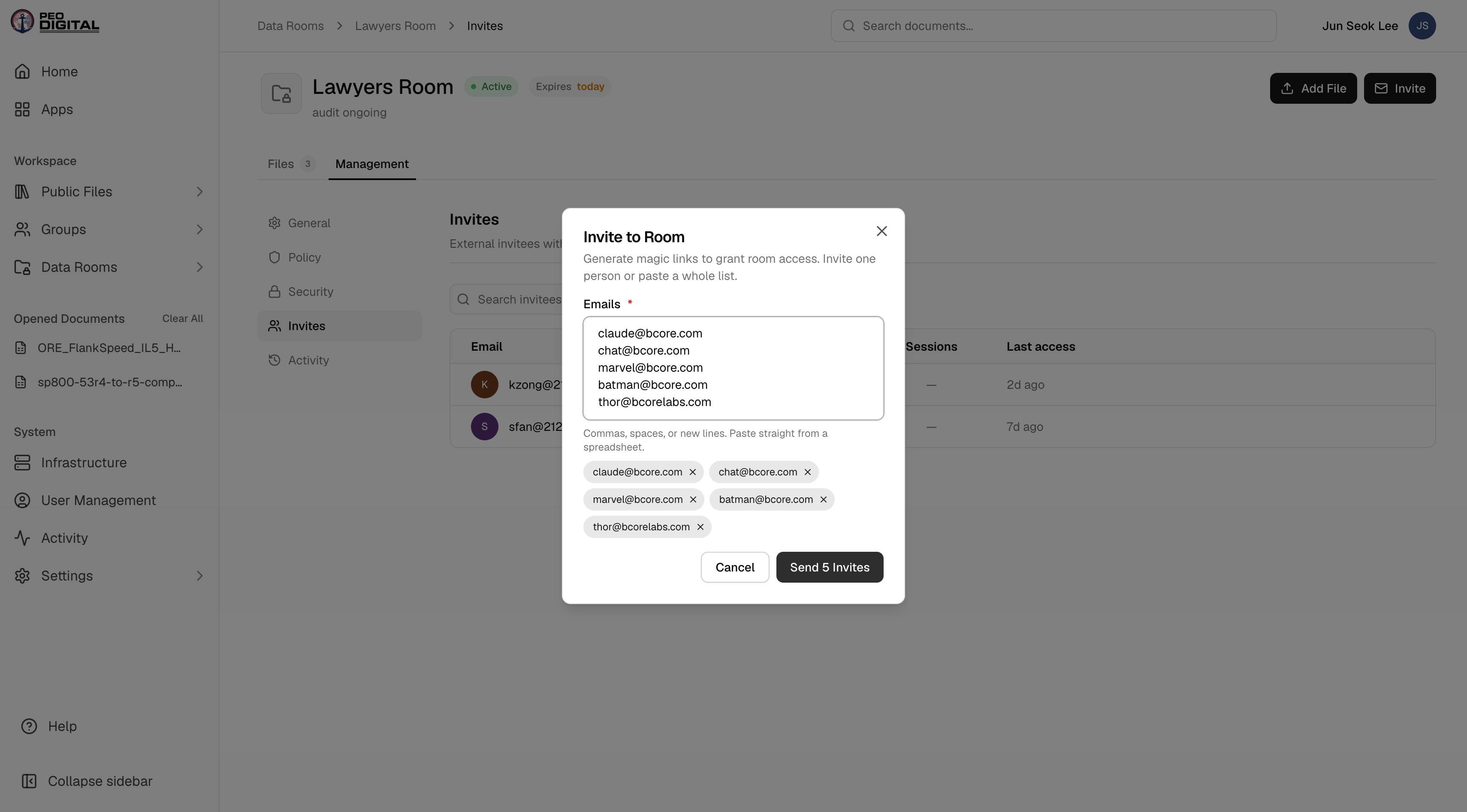
- Folders, Tabs & Full Previews: Data Rooms graduate from MVP to a real workspace. Organize files into folders and subfolders with drag-and-drop, navigate rooms with tab-based sections, and open full-screen file previews without leaving the room. Invites can now go to multiple emails at once, expiry is set with a proper date picker, and a search bar in the viewer sidebar helps you find files and folders fast.
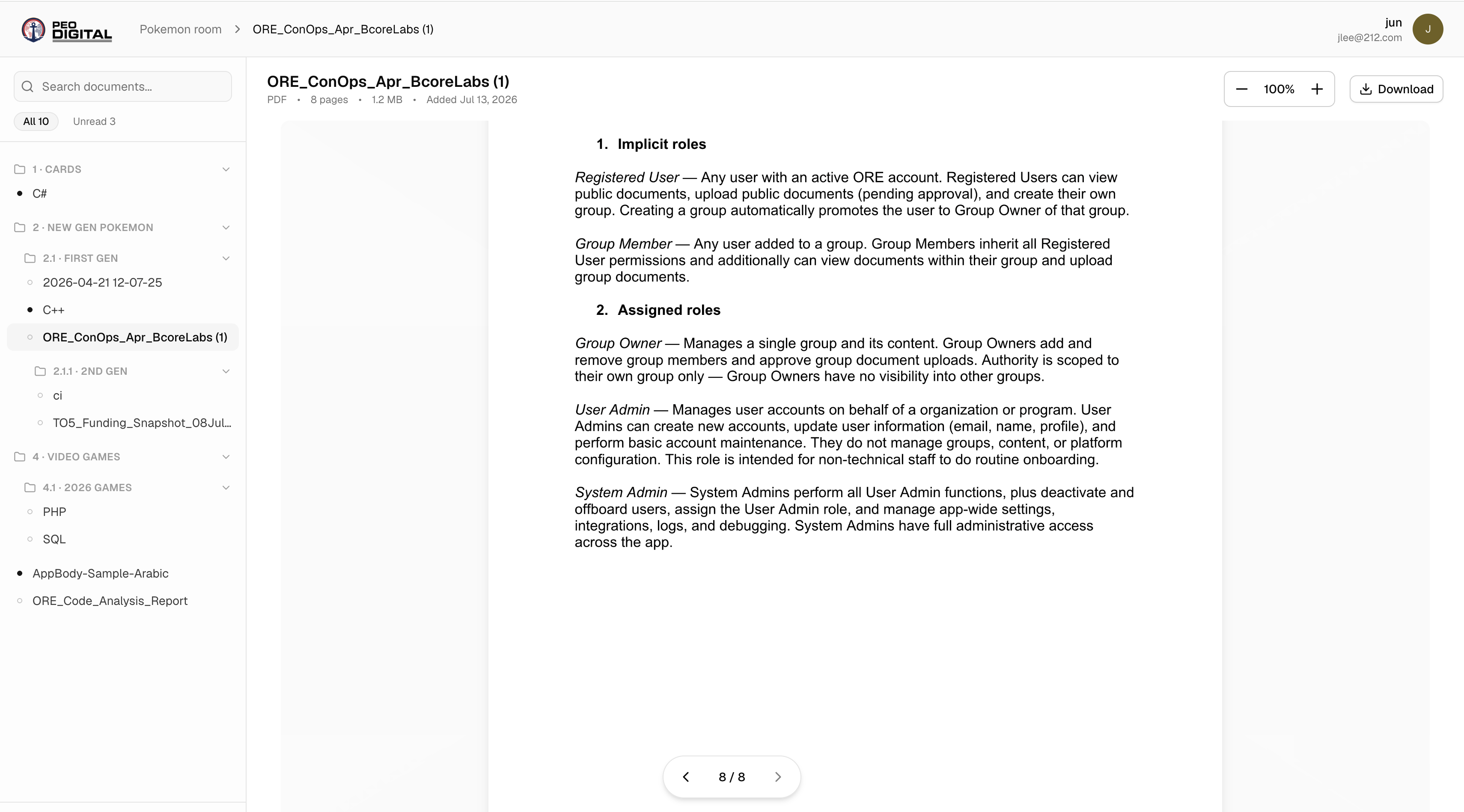
- Read & Unread Tracking in Data Rooms: External viewers now see the same folder structure the sender built, and files are marked read or unread with a highlight in the sidebar.
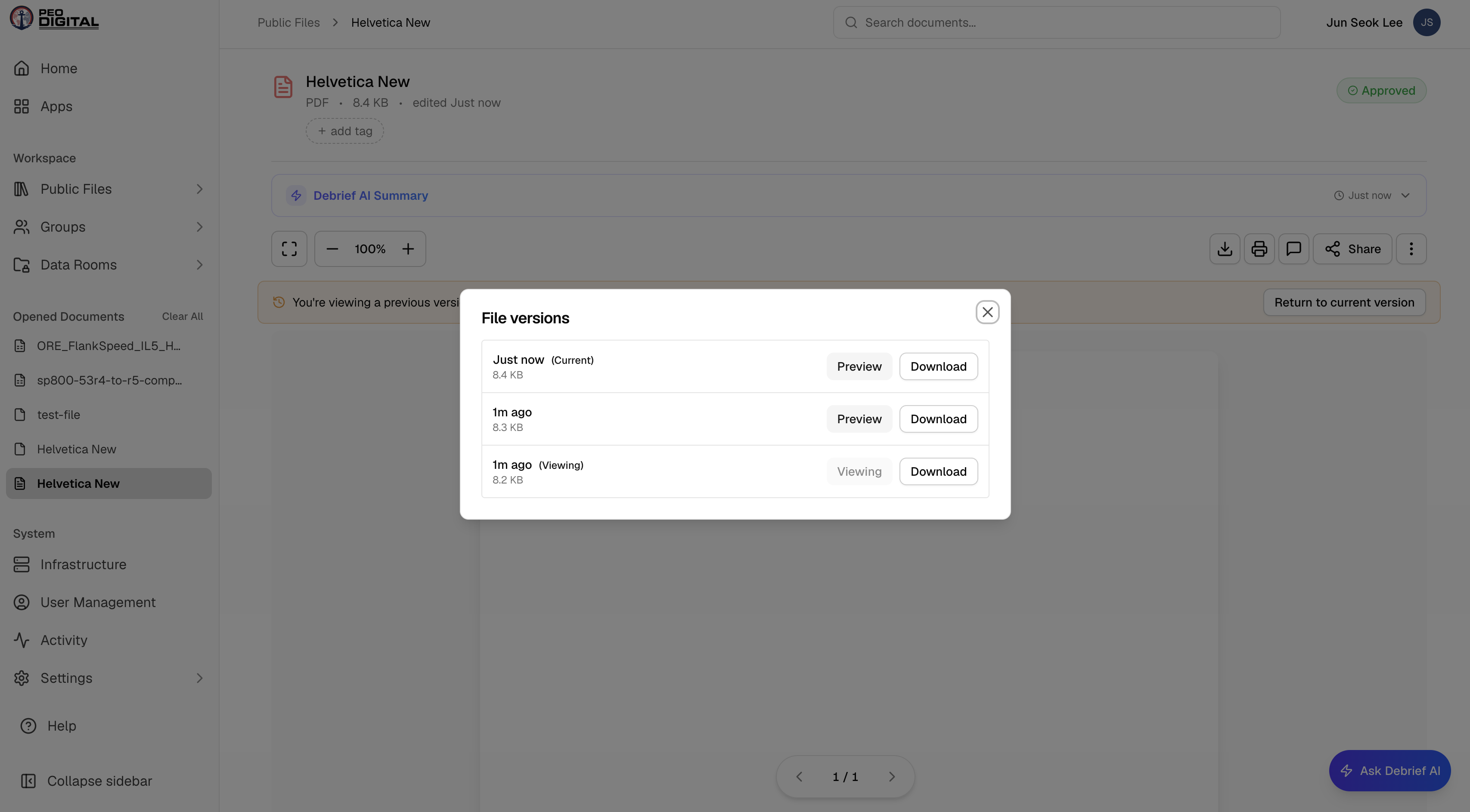
- Document Version History: Building on 3.1's File Versioning, you can now open a document's full history right from the preview page and view previous versions side by side. We also untangled live documents from pending updates, so an edit awaiting approval never disturbs the published copy.
- Multi-File Upload: Upload more than one document at a time — the upload form automatically adds slots as you go, so batching a folder of files no longer means repeating the process one file at a time.
- CI/CD Pipeline & Sandbox Environment (Phase 1): Every push now flows through automated validation (Semgrep scans) and a scripted build-and-deploy pipeline running on our own Azure infrastructure, with app VMs pulling versioned images from ACR. A dedicated sandbox environment deploys on every push to the sandbox branch for accelerated testing — with its data persisting across deployments — and an Ironmist compliance workflow runs on every PR.